
Attacking Google Cloud — Part 5 of 7 · a series by Zeynep Çelik.
An AIza… string isn’t a principal — but with the right questions it’s the loose thread that unravels into an organization’s infrastructure. Including the Firebase corner most write-ups skip.
Recon deep-dive · pairs with Part 3 · realistic about what a key does and doesn’t buy.
API keys get waved away in most assessments as “public by design, harmless.” That’s half true, and the half that’s true matters: with a Google API key you cannot enumerate GCP, list resources, or touch IAM. All it does is authorize calls to specific Google APIs it’s allowed to use and that are enabled in the project. So it’s tempting to note it and move on. Don’t. The danger isn’t what the key can do — it’s what it tells you, and a single leaked key is often enough to walk from “found a string on GitHub” to “here is the company’s App Engine app.” ATT&CK T1552.001 · T1580
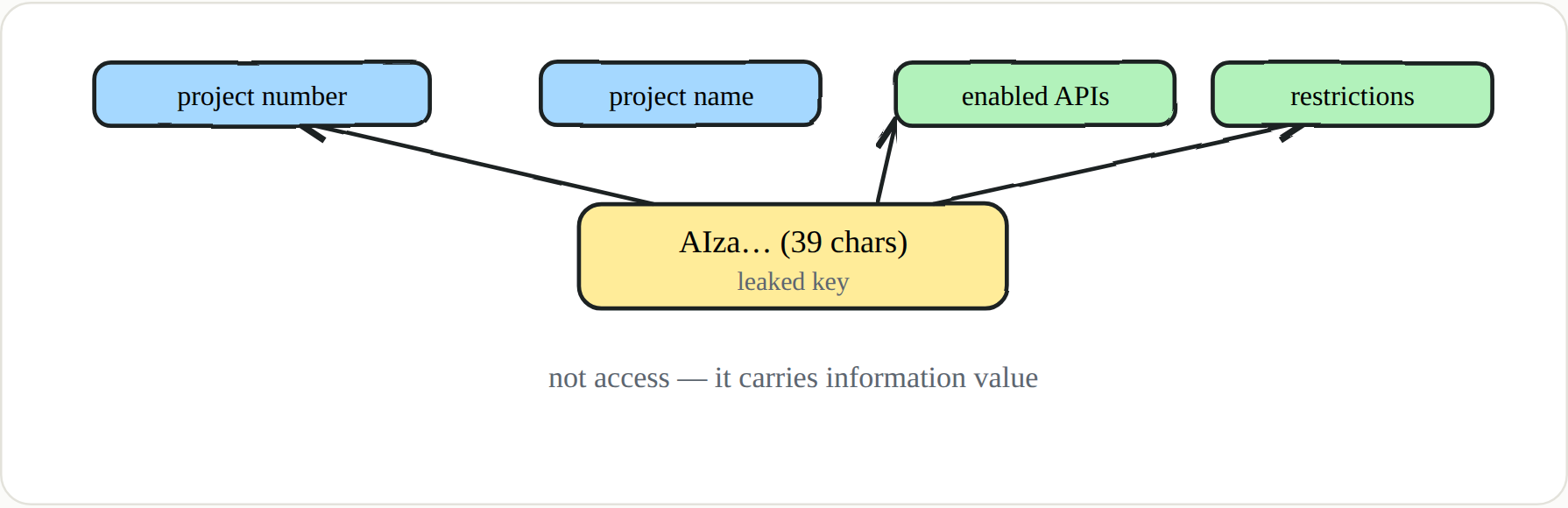 A key’s worth isn’t “what it can do” but “what it tells you”
🔑 Definition — Google API key vs credential
A Google API key (
AIza…, 39 characters) authorizes calls to specific Google APIs — it is not a principal and grants no GCP or IAM access. Its power is shaped by two kinds of restriction: application restrictions (HTTP referrer, IP range, Android package name + SHA-1 signature, iOS bundle ID) and API restrictions (which Google APIs the key may call at all).
Anatomy and hunting
The fixed shape is what makes keys huntable at scale. A regex like AIza[0-9A-Za-z\-_]{35} across GitHub can return close to a million matches. Most are harmless because a web or mobile app has to ship the key publicly to function — but “public by design” and “safe” are not the same claim. From an assessment point of view, two questions decide whether a given key matters: how loose are its restrictions, and which project does it belong to?
1
2
3
4
gcloud services api-keys list --project=YOUR_PROJECT
gcloud services api-keys get-key-string KEY_ID --project=YOUR_PROJECT
gcloud services api-keys list --show-deleted
gcloud services api-keys undelete KEY_ID          # recover within ~30 days
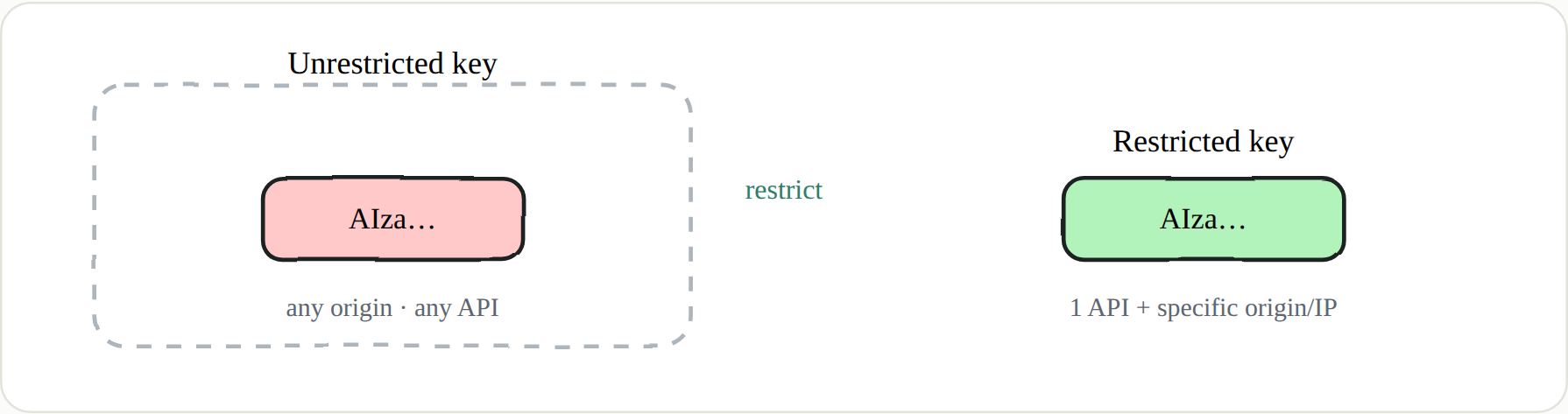 The real defence isn’t hiding the key — it’s restricting it
The highest-value move: from key to project
This is where a single leaked key earns its keep. Even with only the key string, keys.lookupKey resolves the project it belongs to. And even when you don’t have full access, the long error message some calls return often has the project number embedded — a “failed” request that still hands you exactly what you came for.
1
2
3
curl -s "https://apikeys.googleapis.com/v2/keys:lookupKey?keyString=AIza..." \
  -H "Authorization: Bearer $(gcloud auth print-access-token)"
# → parent: projects/123456789012
A project name or number is a key to further discovery, not an endpoint. Feed it to App Engine — probe PROJECT.appspot.com and its version subdomains — and to a tool like cloud_enum (initstring) that sweeps for public buckets, appspot apps, and Cloud Run services. That’s how “just a Maps key” becomes the doorway into talking about a real organization’s infrastructure.
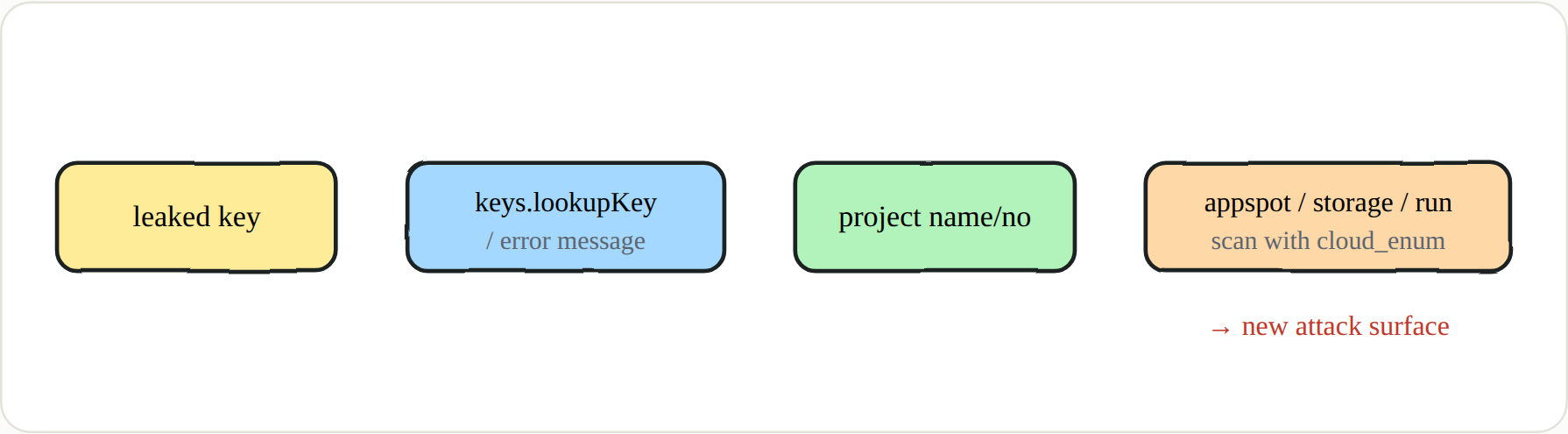 A small piece of information turns, step by step, into a concrete target
The corner most write-ups skip: Firebase keys
Here’s the part people miss. A Firebase config’s apiKey is also in the AIza… shape and is routinely dismissed as “public anyway.” But if the project has the Email/Password provider enabled, that key lets an anonymous user register their own account in the project’s Firebase Auth through Identity Toolkit. Depending on how the backend trusts authenticated users, that self-registration can be a genuine foothold rather than a curiosity.
1
2
3
4
curl -s -X POST "https://identitytoolkit.googleapis.com/v1/accounts:signUp?key=AIza..." \
  -H "Content-Type: application/json" \
  -d '{"email":"x@attacker.tld","password":"P@ss1234","returnSecureToken":true}'
# 200 + idToken → open self-signup, authenticated access to the app
🔑 Key points
- Recon, not access. The payoff is the project number/name, the enabled APIs, and how loose the restrictions are.
- Project name → attack surface. Feed it into appspot/bucket/Run discovery with
cloud_enum.- Firebase self-signup can be a real entry point — always test
accounts:signUp.- Sneaky persistence. Keys are rarely revoked, restrictions can be stripped with
update, and deleted keys recover for about 30 days.- Realistic harm. Often just billing abuse of paid endpoints — stay in scope, because test calls can cost the target money. Tool names and versions drift (e.g.
gmapsapiscanner), so verify before running.
🔑 Blue team
Stop treating keys as secret and start restricting them — every key locked to one API plus a specific origin or IP set, unused keys deleted, and rotation on a schedule. Alert on
apikeys.googleapis.comCreate/Update/Undelete events. For Firebase specifically, disable self-signup where it isn’t needed and add App Check plus proper security rules. And remember an attacker can derive your project name from a key, so harden the App Engine, bucket, and Cloud Run surfaces reachable via that name too.
Next in the series → Part 6 · The Terminal in the Browser: Cloud Shell as an Attack Tool